Business templates made for real service businesses.

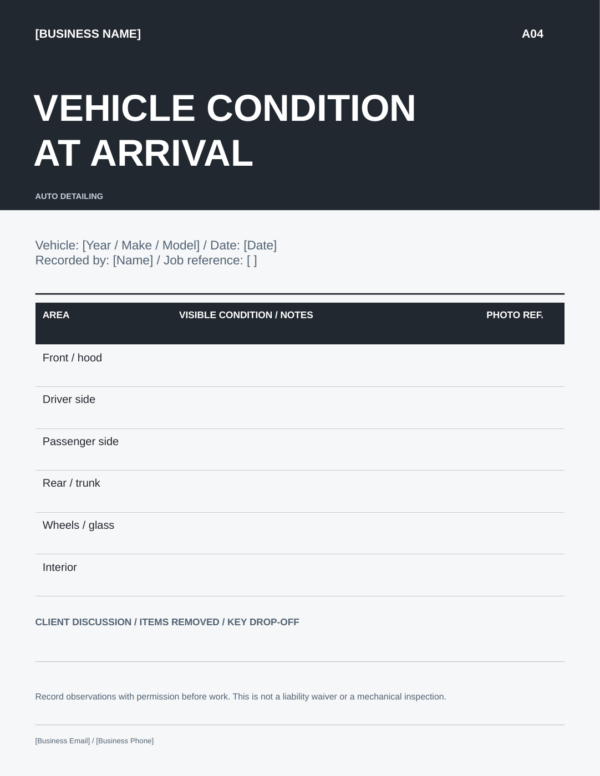


Auto Detailing Vehicle & Handover Pack
US$17.00
Focused DIY pack
Record vehicle condition.
- Record vehicle condition
- Confirm approved extras
- Prepare handover
Included files
4 editable PPTX pages · 2 original fillable PDF pages · 5 copyable messages
Customize & export
Canva Free · Copy, customize, export.
Edition & paymentEdition = your documents. Choose your payment currency separately.
A FOCUSED PART OF THE WORKFLOW
Keep intake and pickup details together.
Document the observable vehicle condition and the service handover.
What it helps you do
Record approved extras, completed work and service-specific care notes.
How to use it
Review the condition record and handover details with the client.
See the actual document examples in the gallery and the exact file list below. Your country edition selects the files; choose your payment currency separately.
Secure payments
Card and express payments are processed securely through WooPayments.
- VISA
- Mastercard
- AMERICAN EXPRESS
- Discover
- Apple Pay
- Google Pay
AUTO DETAILING / FOCUSED PACK
An auto detailing vehicle inspection form for a clear arrival record
Record vehicle condition
Document observable vehicle condition, approved extras, completed work and service-specific care notes.
Confirm approved extras
Use the Detailing Work Record to note the additional work the client has approved and the condition or request that prompted it.
Prepare handover
Use the Vehicle Service Notes and Ready for Handover record to summarize completed work, pickup details, and care information that applies to the service.
Use the auto detailing vehicle inspection form to document observable arrival condition, approved extras, completed work and service-specific care notes. It is a detailing condition record, not a mechanical safety inspection.
Is this the right starting point? Choose this pack when your next priority is to record condition and handover.
Compare with the complete system →Find what you need
Preview the auto detailing vehicle inspection form
US edition previews. Open at full size to read the wording and fields. Select your country edition above before adding to cart.

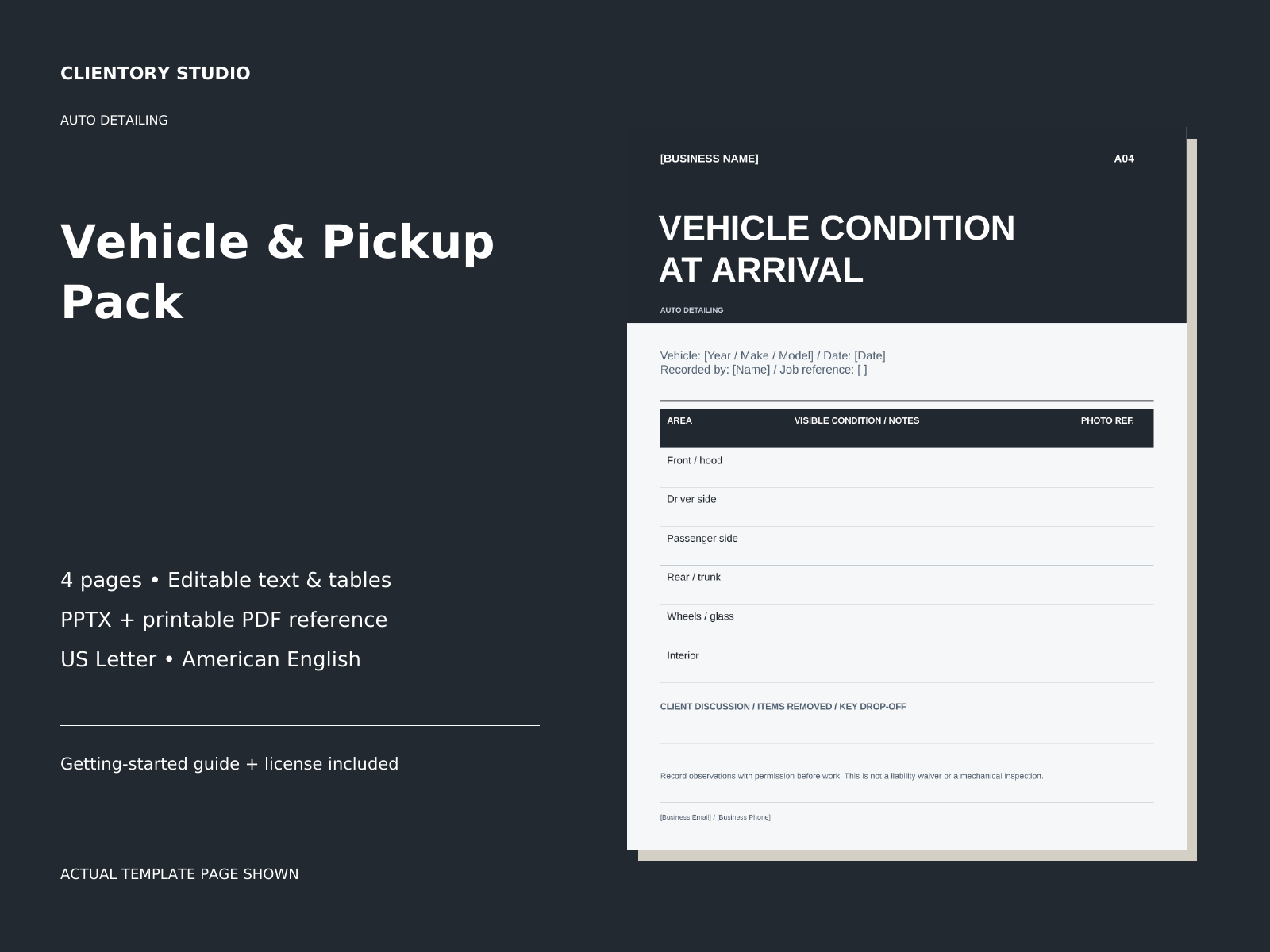
What your auto detailing vehicle inspection form includes
Full file inventory and formats
- 4 original editable pages in your selected country format in PPTX, with a matching static PDF reference.
- 2 original fillable PDF pages with text fields, plus the expanded records listed below.
- 5 copyable client messages in a TXT file, with use cases and subject lines.
- A getting-started guide and the Single Business License in PDF and TXT.
4editable PPTX pages
2original fillable PDF pages
5copyable messages
Expanded working resources included
- Fillable vehicle inspection and handover records show the vehicle areas, existing observations, agreed work, actual completion and outstanding care documents.
- A vehicle diagram and completed fictional examples make the records easier to personalise. The five focused messages include SMS, email and an owner next action.
Use the editable TXT for current message wording, the separate PDF forms for records and XLSX files for calculations where listed. Existing Canva/PPTX visual layouts remain included; the formats do not synchronise automatically. Personalise all details before client use.
Inside your auto detailing vehicle inspection form
- Vehicle condition record
- Appointment preparation sheet
- Detailing work record
- Vehicle service notes
Additional fillable records
- Condition on arrival
- Ready for handover
Messages ready to personalize
Arrival condition question; Proposed additional work; Ready for pickup; Care follow-up; Respond to a concern.
How to use the auto detailing vehicle inspection form in your workflow
At arrival and before handoff. Record the visible condition relevant to the detailing service, then document approved extras and completed work. Prepare care notes that match what was actually provided. This record does not replace a mechanical inspection or your service agreement.
Personalize the auto detailing vehicle inspection form for your actual service, then keep an untouched master and work from a separate copy for each client or job.
Use the right format for the job
Visual customization: open the Canva template link in your selected edition’s START HERE PDF to create your own copy in Canva. Personalize your business name, logo, colors, services and wording, then export the client-facing pages you need. Editable PPTX source files are also included for compatible presentation software. Use Free elements for your own Canva additions and review the finished PDF before sharing it.
Fillable records: enter responses in the separate Fillable-Forms.pdf using a compatible PDF reader. Its layout is fixed. Save and reopen a separate copy for each client or job. PDF fields do not perform calculations.
Copyable messages: open the TXT file, choose the relevant message and replace all bracketed details before sending. No automatic messaging service or CRM is included. Printable-Reference.pdf remains a static reference; amounts in the PPTX and reference PDF are entered manually.
Choose this pack or the complete system
The auto detailing vehicle inspection form resource is also included in the collection’s complete system. Choose the full system if you need the wider workflow, or this pack if you need only this part. You do not need to buy both.
Choose the edition for your business
Choose the edition for your business
Select Country edition before adding this product to your cart. You receive one edition of this pack, with the same core content and profession-specific design. All editions are in English.
- United States
- American English · US Letter · USD document labels.
- Canada (English)
- Car detailing businesses, with Canadian English and licence-plate terminology. Letter pages, CAD document labels and YYYY-MM-DD date guidance. This is not a French-language or Quebec-specific edition.
- United Kingdom
- Car detailing and valeting businesses, with vehicle registration, bonnet and boot terminology. A4 pages, GBP document labels and day-first date guidance.
- Australia
- Car detailing businesses, with vehicle registration, bonnet and boot terminology. A4 pages, AUD document labels and day-first date guidance.
The Canada, UK and Australia downloads also include a three-page Local Edition Guide with setup instructions, practical workflow checks and links to official resources. Packs with fillable records include a clearly marked, completed sample. Focused packs contain only the resources listed above; country selection does not add the rest of the complete system.
Your edition selects your documents. Select the country edition that matches your business. Your country edition selects the documents. Choose your payment currency separately. You receive the matching English-language files for your selected country edition. Review your selected edition and total in the cart and at checkout.
Local rules still depend on the job. These are editable organizational resources, not jurisdiction-approved contracts or compliance certificates. The guides identify regional examples; confirm the rules for your actual location and service. Nothing in the license removes mandatory consumer rights.
Download your auto detailing vehicle inspection form
This is a digital ZIP download, with no physical shipping and no Clientory Studio subscription. Use the download link supplied with your successful order, unzip the folder and open START-HERE.pdf. Keep an untouched backup and work from copies. Your order includes the selected country edition only. Your selected document edition and the total in your chosen payment currency are shown on the product page, in your cart and at checkout.
Designed for your business, reviewed by you
Adapt the scope, messages and arrangements to your actual service. Keep access credentials, payment-card data and unnecessary sensitive information out of these records.
Vehicle condition records are visual service records, not mechanical inspections, waivers or guarantees. Add care instructions only for the products and methods you actually use.
License & Usage
License & Usage
Single Business License · Version 1.1
Single Business License included
Your purchase includes a nonexclusive, nontransferable license to customize and reuse the purchased templates for one business and its own service clients.
What you may do
Personalize the files with your business name, logo, services, wording and prices. Use them repeatedly in the ordinary operation of that one business. Print or send customized client-facing documents to your own clients as part of the services your business provides.
Client-facing PDF exception
You may send customized static PDFs and copies of the included fillable PDF forms to your own service clients for completion in connection with that service. This limited permission does not allow them to extract, reuse, resell or redistribute the templates. Do not include unrelated clients’ records.
What you may not do
You may not resell or redistribute the templates, unchanged or modified; give them away as templates; share editable masters, PPTX files, spreadsheet workbooks, source files, Canva editing links or Canva template links outside the licensed business; sublicense or transfer the license; or include the templates in another product intended for sale. The client-facing PDF exception above is the only exception to the source-sharing restriction.
One business means one business
Using these templates to create resources for multiple separate businesses or agency clients is not included. Each separate business must obtain its own Single Business License. No Agency, Multi-Business or Extended Commercial License is included or currently offered.
Keep your sources private
Keep editable masters and owner-only resources within the licensed business. Share only the customized client-facing pages needed for the service. These tools support organization and communication; they do not replace your service agreement or professional advice.
Questions about the auto detailing vehicle inspection form
What does the auto detailing vehicle inspection form record?
It records observable condition relevant to the detailing service at arrival. Use it alongside your own inspection process to note what needs attention or discussion before work begins. It is not a mechanical inspection, roadworthiness check or guarantee against disputes.
Can I record approved extras and explain aftercare at pickup?
Use the work record and service notes to reflect the work actually provided, then personalize the pickup and care messages. Follow the applicable product instructions when giving aftercare advice; the template does not supply a universal coating or treatment procedure.
Does this pack include a detailing estimate calculator?
No. This focused pack covers vehicle condition, appointment preparation, work records and handover. The estimate resources and calculator belong to the Inquiry & Estimate Kit and complete Auto Detailing system.
What if I need help with a download?
Contact us with your order details if you cannot locate or open the files. We can help restore access or investigate an incorrect file. Read our refund policy before buying.
Still deciding? Ask a product question or explore the collection.
More about this pack and editing your files
Document observable vehicle condition, approved extras, completed work and service-specific care notes.
Works with Canva Free. Direct template access is included in START HERE. Create your own copy, personalize and export.
Digital ZIP · One-time purchase · Single Business License
Your selected edition includes a direct Canva template link in START HERE, editable PPTX source files and matching PDF references.
Included files & editing details
- 4 editable PPTX pages
- 2 original fillable PDF pages
- 5 copyable messages
PDF references show the intended layout. Use a PDF reader for fillable forms and a spreadsheet app for XLSX files, where included. Check the full inventory below.
Open START HERE to create your Canva copy. Use Free elements for your own additions and review your exported PDF before sharing.
These resources are also included in this collection’s complete system. Choose this pack or the system to avoid overlapping purchases.
Choose your country edition above. Your country edition selects the documents. Choose your payment currency separately.
| Country edition | United States, Canada (English), United Kingdom, Australia |
|---|
Related products
-
Auto Detailing Client System
US$39.00Select options This product has multiple variants. The options may be chosen on the product page -
Auto Detailing Inquiry & Estimate Kit
US$12.00Select options This product has multiple variants. The options may be chosen on the product page -
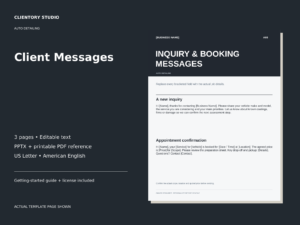
Auto Detailing Client Messages
US$12.00Select options This product has multiple variants. The options may be chosen on the product page