Business templates made for real service businesses.
A package chosen before you see the car?
Capture the request, then confirm the actual condition and service scope.
Business templates made for real service businesses.
Business templates made for real service businesses.
CLIENTORY STUDIO / AUTO DETAILING
Capture vehicle details, confirm the service package, record arrival condition and prepare a clear handover with ready-to-edit documents and client messages.
At arrival, note an existing mark and the agreed package in the condition record shown here. Keep photos in your own storage and add their references to the form manually.
Works with Canva Free · One-time purchase · Digital download
Choose the template edition for your business. Select your preferred payment currency independently on the product page.
Auto detailing / Car detailing / Valeting

WATCH THE 1-MINUTE DEMO
What’s inside, page by page. Everything opens and edits in free Canva.
THE DETAILS AROUND YOUR WORK
Capture the request, then confirm the actual condition and service scope.
Record observable condition and photo references in one consistent form.
Bring completed work, agreed extras and relevant care notes into the handover.
FROM FIRST CONTACT TO FOLLOW-UP
Illustrative example — fictional business and client. Follow Casey Ellis and Northline Auto Detail through the resources below.
Casey asks for an interior refresh for a compact SUV.
Included: Vehicle inquiry + estimate pages
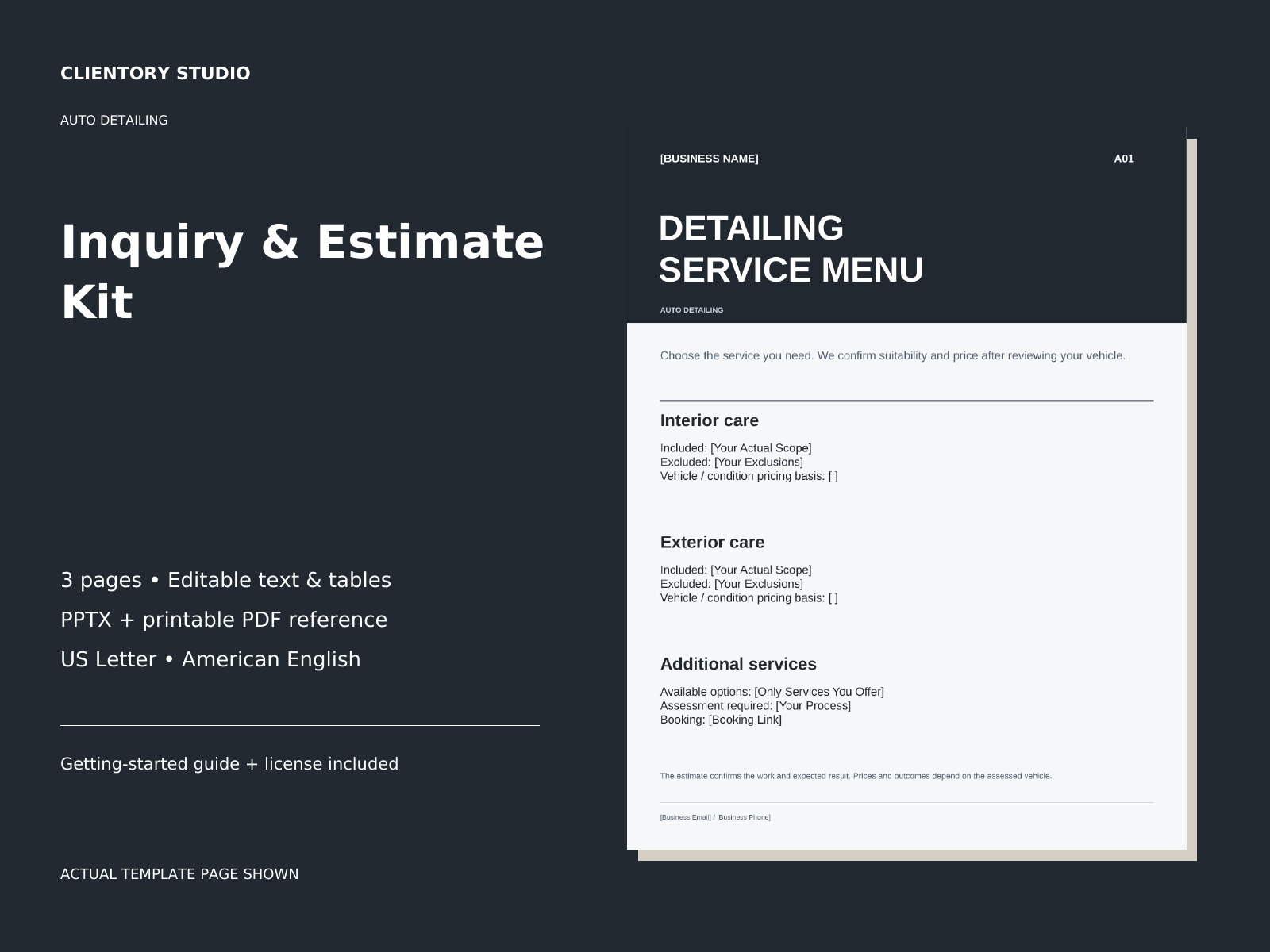
Clarify what the interior service covers and what is excluded.
Included: Service menu + XLSX estimate calculator
Note the existing door mark and rear-seat pet hair with photo references.
Included: Vehicle condition record
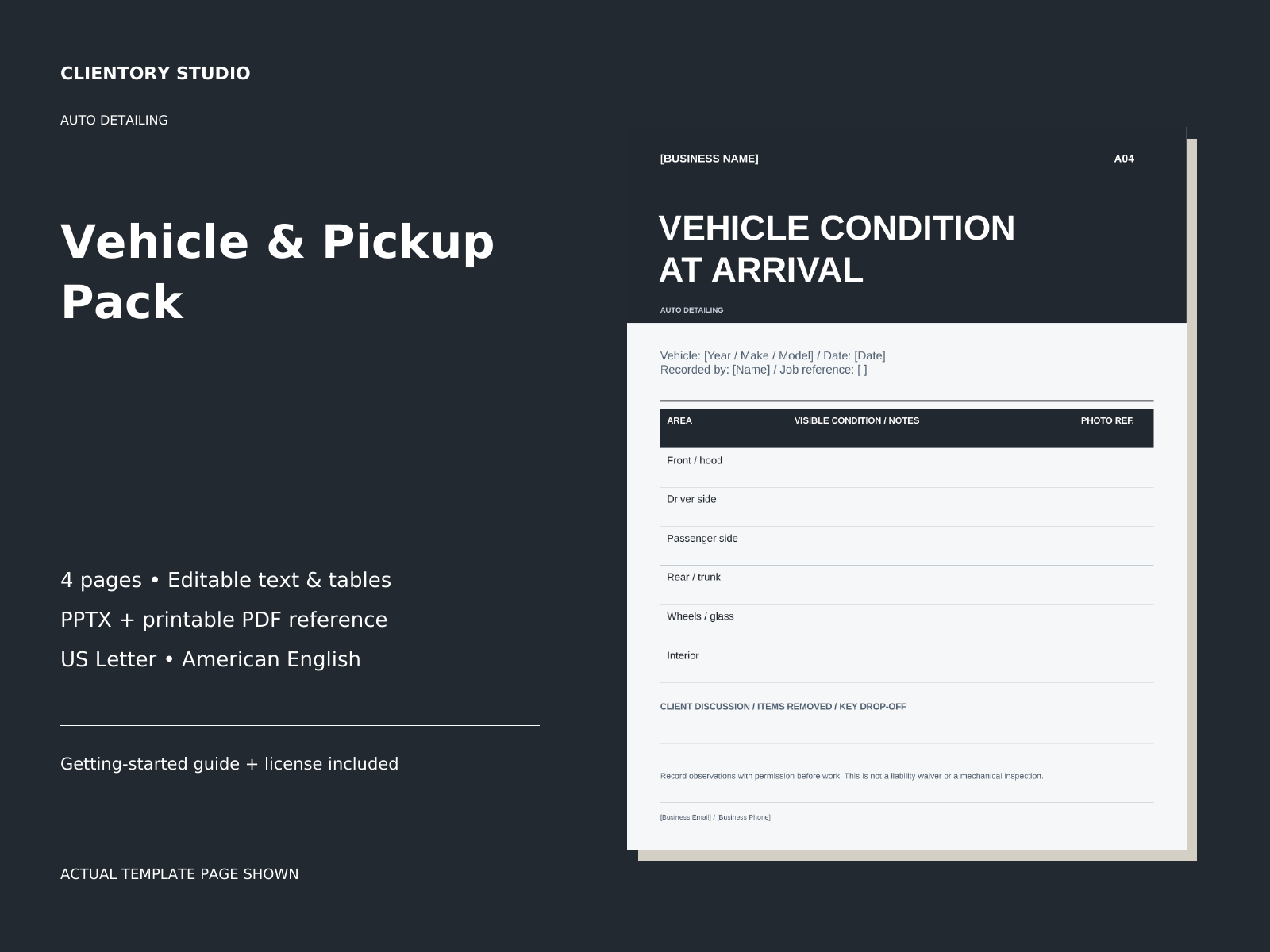
Keep extra requests separate until the client confirms them.
Included: Additional-work notes + client messages
Summarize the work actually completed and service-specific care notes.
Included: Completion + handover records
Personalize the pickup and follow-up wording before sending it.
Included: Client communication playbook

US edition shown. Open the real-page previews below for a closer look.
RECOMMENDED FIRST CHOICE · COMPLETE WORKFLOW
A precise client experience for detailers: understand the vehicle, confirm the requested package, record arrival condition and explain the work at pickup.
One-time purchase · Edition and payment currency selected separately
See the Complete Auto Detailing System
WHAT DO YOU NEED TODAY?
Go straight to the pack for that moment, or bring the whole client journey together.
FROM THE ACTUAL FILES
Real pages from this collection, shown in the US edition. Open either image at full size to read the fields and wording. The editable templates and separate fillable records use different formats.
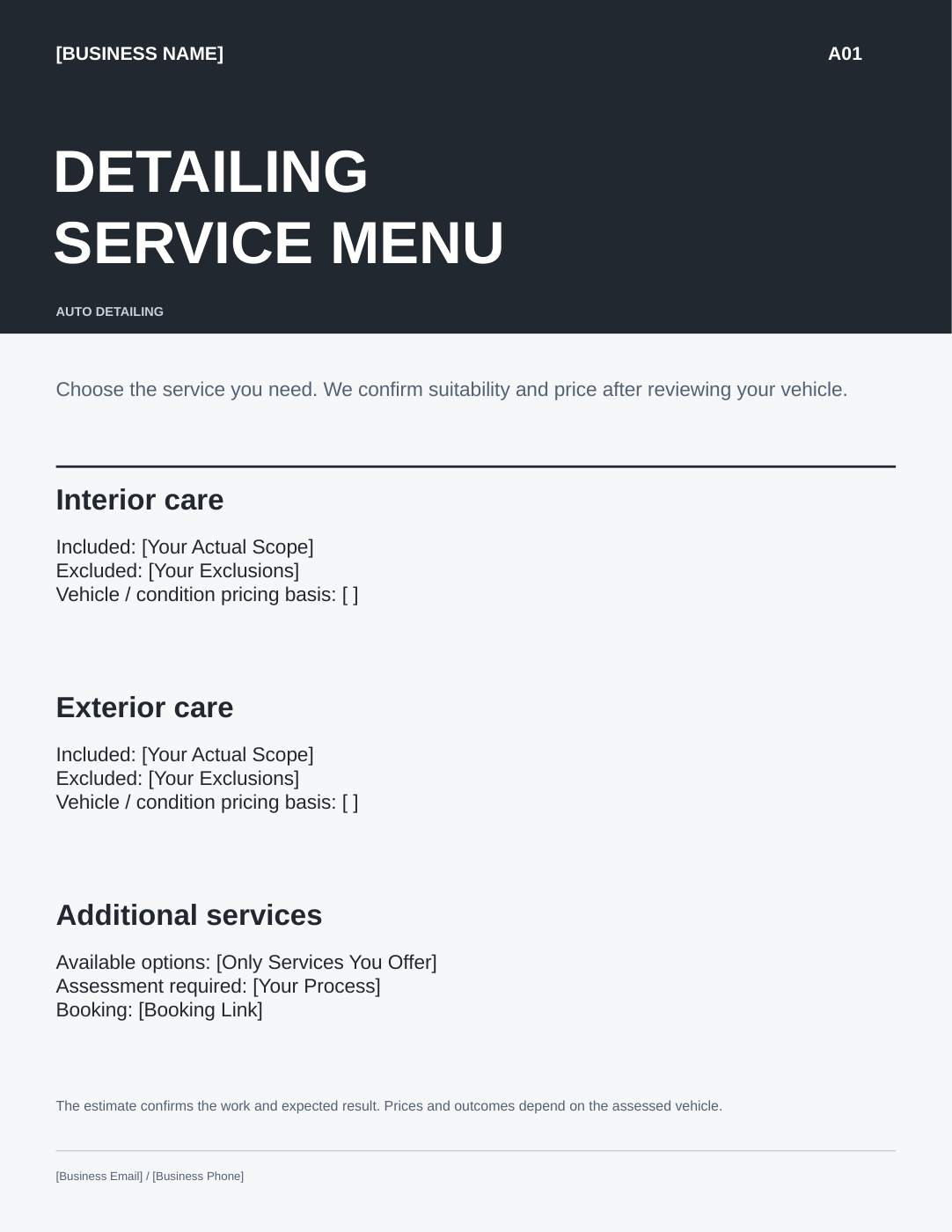
THE ACTUAL RECORD, WITH SAMPLE ENTRIES
Illustrative example — fictional business and client. Sample entries are shown over the actual included form; this is not a customer result.
“Casey • blue SUV • interior refresh • mark on right rear door • pet hair on rear seats • no paint correction • pickup message.”
Northline Auto DetailCasey Ellis / blue compact SUVOctober 20, 2026 / MorganInterior refresh / ND-024ND-024 / arrival photos 01-06Right rear door mark recorded in photo 03.Pet hair on rear seats; mats to be assessed.Paint correction excluded; no extra work approved.Scope confirmed at drop-off / October 20Received at reception / MorganMAKE IT YOURS IN CANVA FREE
After purchase, open START HERE — Canva Access and follow the direct link to your own template copy.
Add your business name, adjust the services and wording, and choose your colors. Canva Pro is not required for the supplied templates.
Review your pages and export a PDF to print or share. Keep an untouched master for your next job.
The real editable page above shows the starting layout. Fillable PDF records and XLSX tools are separate: use a compatible PDF reader or spreadsheet application for those files.
ONE PART OF YOUR WORKFLOW
Choose one task: capture the inquiry, records or client messages. See each pack’s live price below.
Bring the whole workflow together. The 3 focused Auto Detailing packs are included. You do not need to buy both.
Each pack has a specific job. Compare the included formats and choose what you will use.
FOCUSED PACK
Collect vehicle and condition details, clarify the requested package and calculate entered service line items before confirming the scope.
3 editable pages1 fillable3 messages
FOCUSED PACK
Document observable vehicle condition, approved extras, completed work and service-specific care notes.
4 editable pages2 fillable5 messages
FOCUSED PACK
Use messages for inquiries, booking, condition questions, extra work, pickup and ongoing vehicle care.
3 editable pages17 communication situations
Editable page counts include setup pages where supplied. Fillable records and messages are listed separately; they are not all unique template designs.
A PRACTICAL FIRST STEP
Before preparing a detailing estimate, ask about the vehicle, requested package and condition. Confirm the scope after your own assessment.
The paid collection gives these details a reusable document structure and supports the stages that follow.
YOUR BUSINESS. YOUR MARKET.
Choose the United States, UK, Canada or Australia edition for the wording and document format that match your business. You receive one edition per purchase. Choose the edition that matches your business. You can select your payment currency independently on the product page.
Canadian editions are English-language resources; they are not Quebec-specific.
BEFORE YOU BUY
Check the contents, formats and edition for your business. If you still have a question, we can help you find the right resource.
Yes. Adapt the intake and preparation wording to the service location or your drop-off process. The handover pages help you summarize completed work and relevant care notes. Condition records are visual service records, not mechanical inspections.
Yes. Personalize and reuse the templates within one licensed business, whether you work alone or with a small team. Keep client records separate and share only the appropriate client-facing pages.
Download your selected edition from your successful order, unzip the folder and open START HERE. Use the direct Canva link for editable pages and the listed PDF or spreadsheet files for their separate tasks.
Use the documents and wording where you need a branded client-facing resource. Clientory does not connect to your software, send messages automatically or manage bookings. Keep the tools that already work for you.
A focused pack covers one stage of your workflow. The complete system combines the related packs for that trade, including their functional additions. You do not need both. Check the contents before choosing.
Open START HERE — Canva Access and follow the direct template link to create your own private copy. Works with Canva Free; no Canva Pro required for the supplied templates. Personalize your copy, then export your client-facing pages. PPTX sources are also included. Use the separate fillable PDFs and XLSX workbooks in compatible PDF and spreadsheet applications.
Contact us with your order details if you cannot locate or open the files. We can help restore access or investigate an incorrect file. Read our refund policy before buying.
READY FOR YOUR NEXT CLIENT
Capture vehicle details, confirm the service package, record arrival condition and prepare a clear handover with ready-to-edit documents and client messages.